


Product · Mortgage marketing
CompliPost
Why CompliPost puts a wording check in the same workflow as writing and designing a mortgage post.

Loan officers have to explain mortgage topics clearly and check what a post appears to promise. Frontier put drafting, design and a wording check in one workflow so the person making the post can review the actual draft before downloading it.
Use a borrower’s question to shape the draft
Frontier started the workflow with a topic a borrower might actually ask about. In the first-home example, the caption has a specific job. It should tell a first-time buyer what to prepare.
The same draft moves into the graphic builder with the loan officer’s saved logo, colors and details. That keeps both pieces tied to the same question and gives the officer a finished post to review.
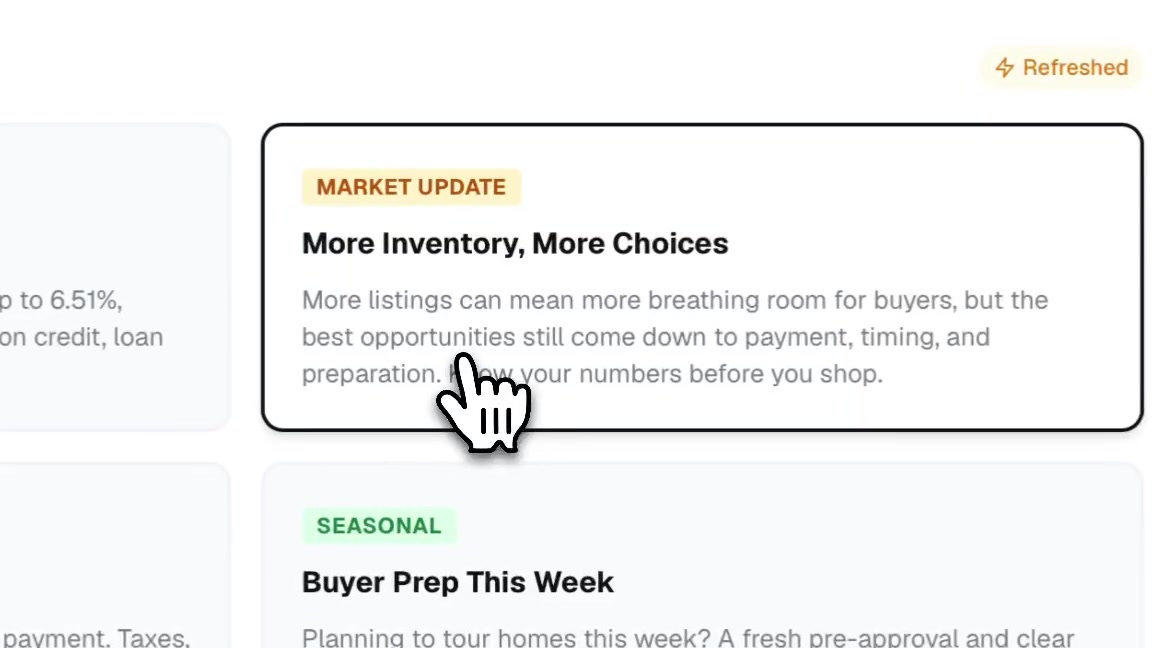
- Pick a topic
Choose an idea from the content plan or start with your own.
- Write the caption
Make a first draft that explains the topic to a borrower.
- Build the graphic
Use the loan officer’s saved logo, colors and details.
Flag the line that needs another look
A promise that everyone will be approved can change what a reader expects from the entire post. CompliPost points to the specific wording and explains why it needs attention, so the officer can see what triggered the flag.
The checker offers a suggested rewrite for that line. The loan officer can decide whether it fixes the concern and then take the revised post through their normal review steps.
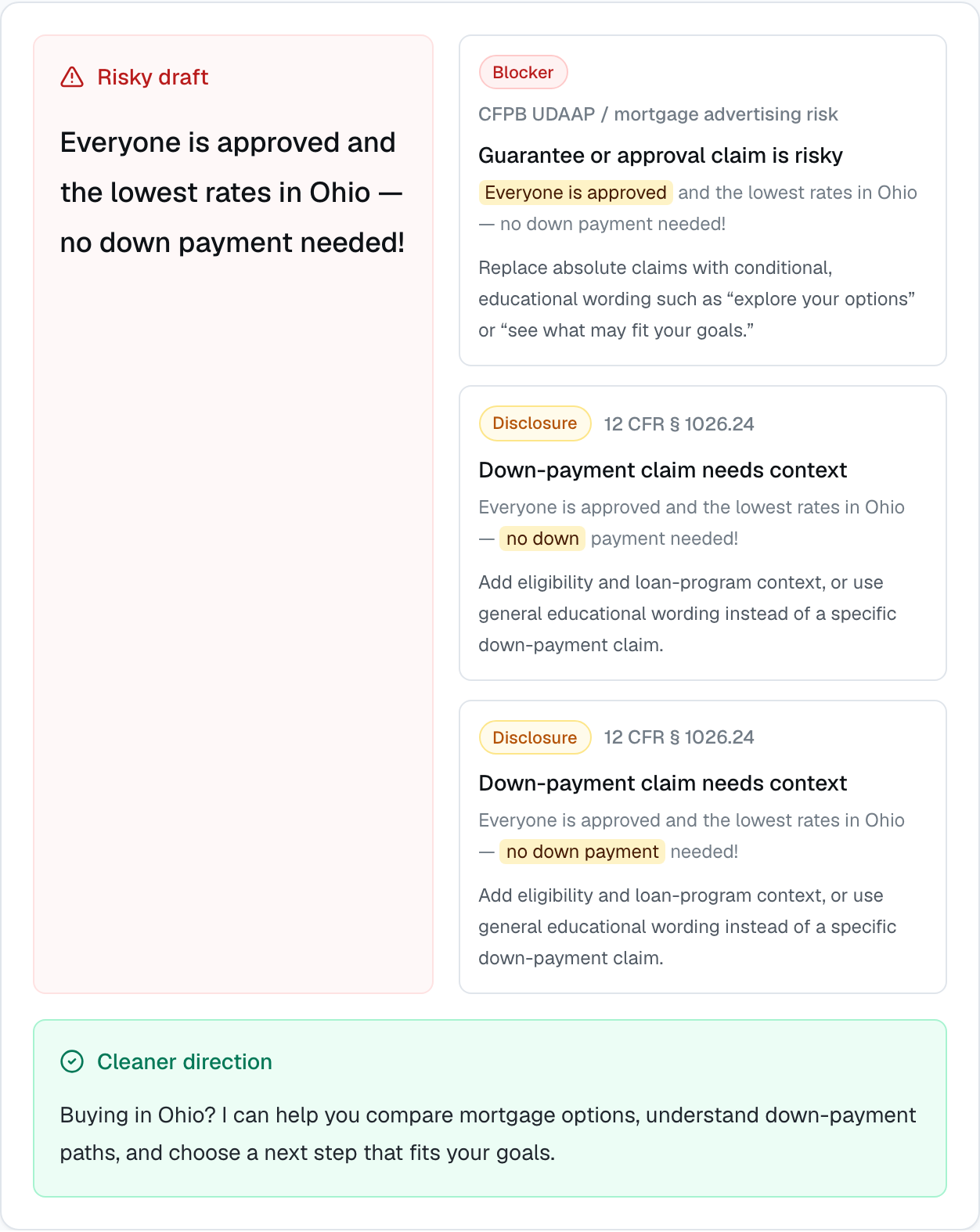
- Flag the wording
Point out the line that makes a broad promise.
- Explain the concern
Show why the line needs attention and offer a way to revise it.
- Review before sharing
A person checks the final post before it goes out.
What you can try
The public walkthrough takes a first-home topic from the content plan into the graphic builder. The wording example shows a specific line the tool flags and how it suggests a revision. The loan officer still uses their normal review process on the finished post.
Watch the CompliPost walkthrough